
The HPE Aruba Networking Central ArubaOS 10/IoT-Operations configuration example shows the configurations steps for an HPE Aruba Networking ArubaOS 10 access points using IoT-Operations managed via HPE Aruba Networking Central.
Prerequisites: HPE Aruba Networking IoT-Operations requires the installation of the HYPROS IoT-App on either an IoT-Connector virtual appliance or HPE Aruba Networking ArubaOS 10 access points (AP-6xx or higher) converted to AP-as-Connector. Please refer to the HPE Aruba Networking IoT Operations documentation for details.
The HYPROS IoT-App connects the HPE Aruba Networking infrastructure to the HYPROS platform and forwards the BLE-Data from the HPE Aruba Networking Partner-API to the HYPROS platform.
HYPROS IoT-App Installation and Setup
Section titled “HYPROS IoT-App Installation and Setup”1. Group & App Selection
Section titled “1. Group & App Selection”Select the desired HPE Aruba Networking ArubaOS 10 config group then include the IoT-Connector VM/AP-as-Connector's the HYPROS IoT-App should be installed on.
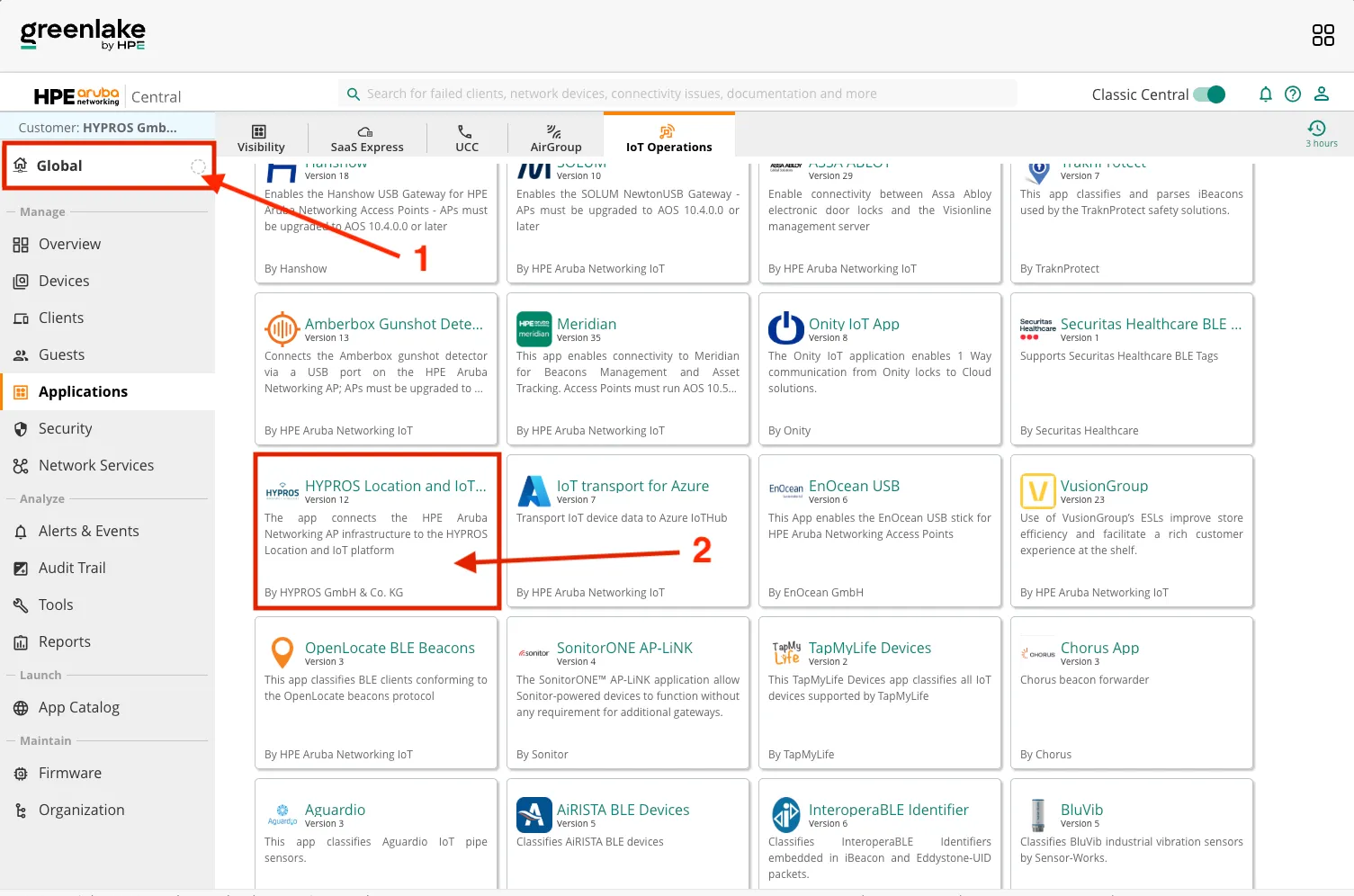
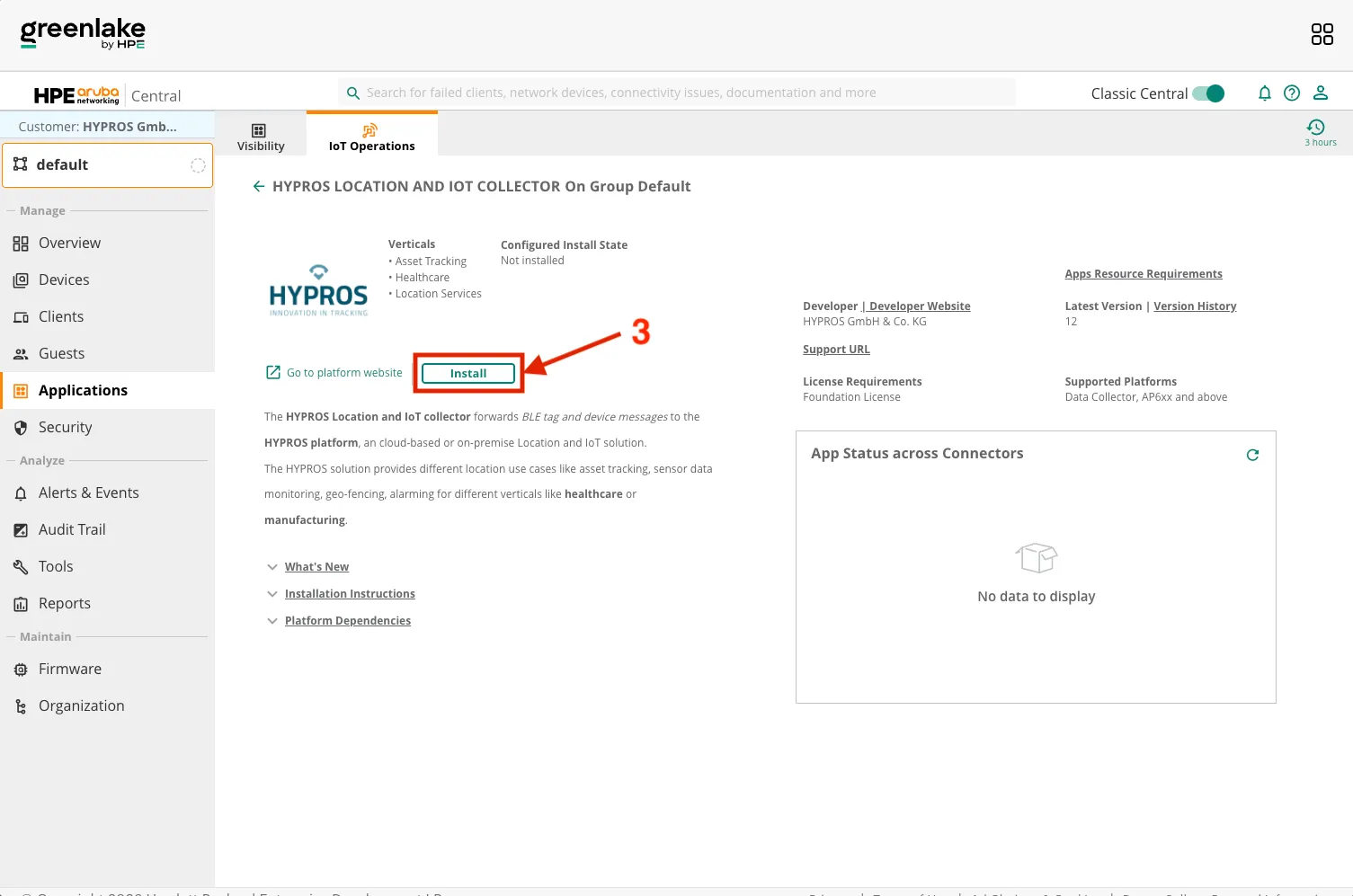
2. Environment Variables
Section titled “2. Environment Variables”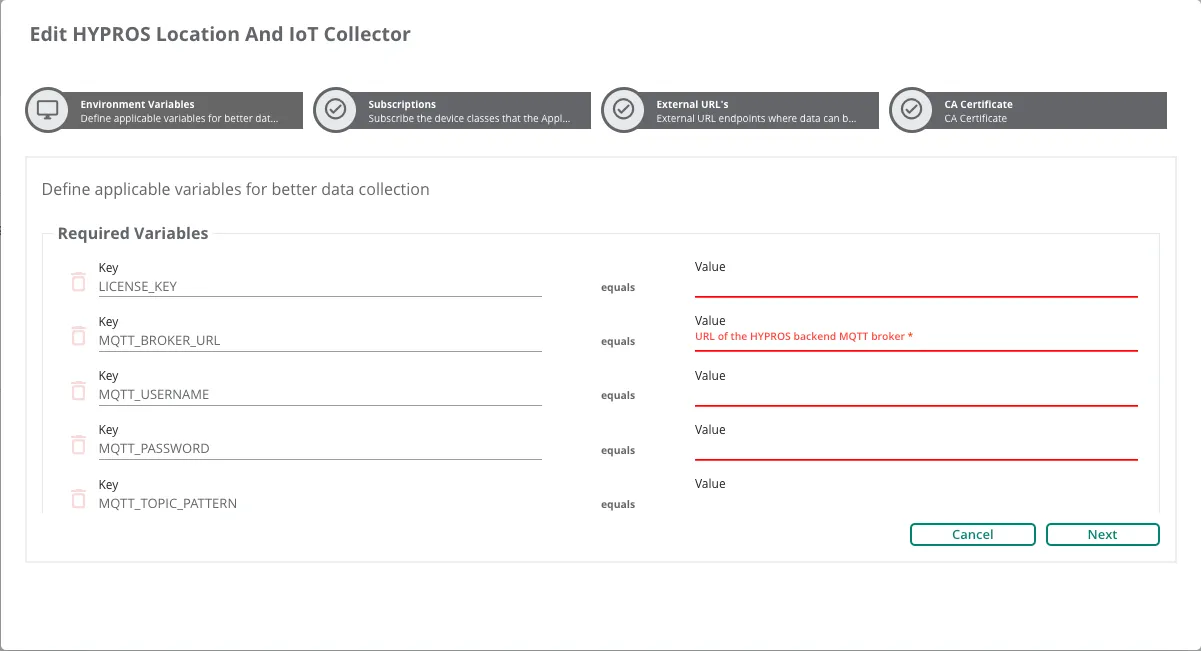
The app uses a range of environment variables as configuration parameters. These are required in order to forward the data to the MQTT broker correctly.
Supported environment variables:
| Name | Description |
|---|---|
| LICENSE_KEY* | HYPROS license key required for app activation |
| MQTT_BROKER_URL* | URL of the MQTT broker the data is forwarded to |
| MQTT_BROKER_PORT* | Port of the MQTT broker the data is forwarded to |
| MQTT_USERNAME* | Username used when authenticating with the MQTT broker |
| MQTT_PASSWORD* | Password used when authenticating with the MQTT broker |
| MQTT_TOPIC_PATTERN* | MQTT topic the data should be forwarded to. This variable supports the use of 'topic patterns'.<br>A 'topic pattern' may contain placeholders that are replaced at runtime, e.g. the MAC-Address of the device.<br>Example: 'broker/<reporterMac>/data'<br>The following placeholder variables are available: tagMac, reporterMac, payload, rssi, timestamp, frameType |
| MQTT_CLIENT_ID_PREFIX | Prefix that is prepended to the client ID when connecting to the MQTT broker.<br>The app will auto-generate the client ID in order to prevent duplicate IDs that are disallowed by the MQTT standard by default:<br>- When running on a connector, the gateway IP is used<br>- When running on an access point, a pseudo-random value is used |
| ERROR_BACKOFF | Time in milliseconds after which the app will attempt to reconnect to the broker |
*: Required environment variable
3. Subscriptions
Section titled “3. Subscriptions”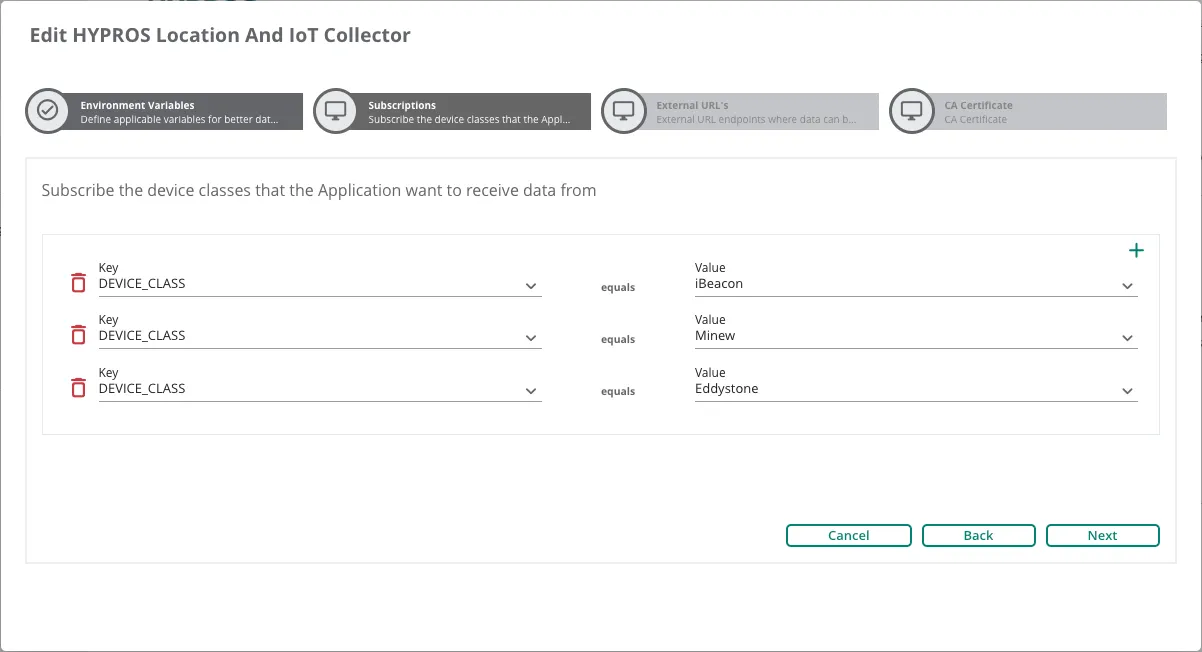
The subscriptions determine the data that is received by the app and then forwarded to the HYPROS platform. For instance, if iBeacon data should be forwarded, the subscription "DEVICE CLASS" along with the class "iBeacon" has to be selected here.
4. External URLs
Section titled “4. External URLs”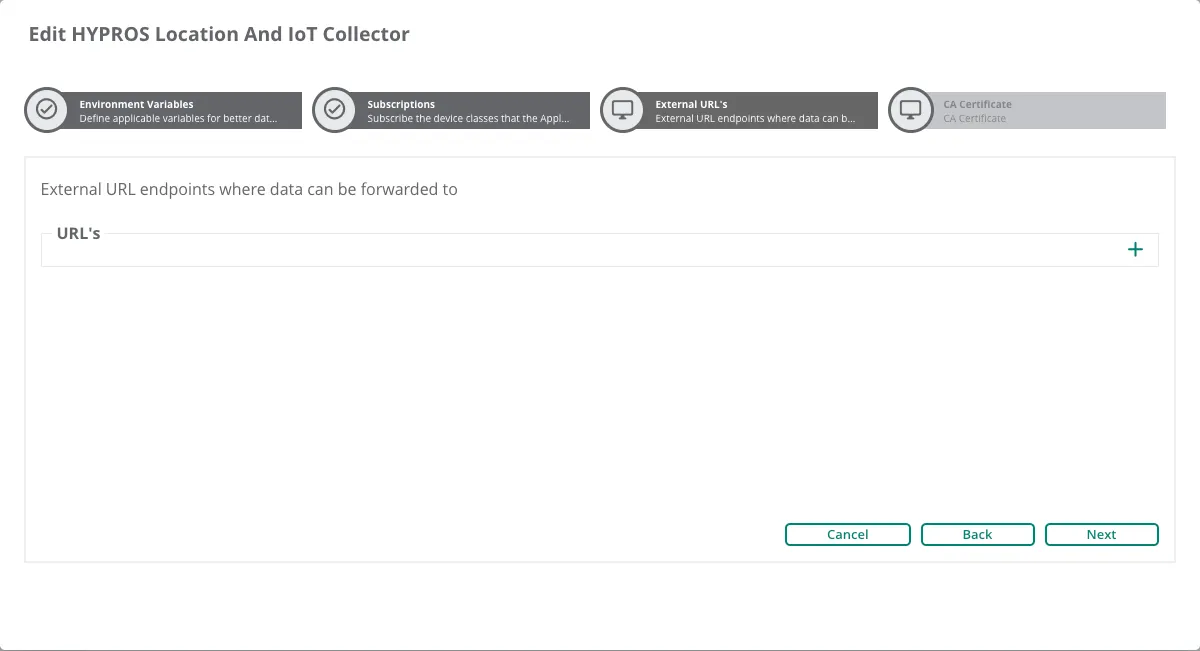
The external URLs define URLs that are allowed by the firewall. In this use case, the allowed URL must be the public domain of the HYPROS platform MQTT broker. This should match the URL provided in the environment variables.
5. CA Certificate
Section titled “5. CA Certificate”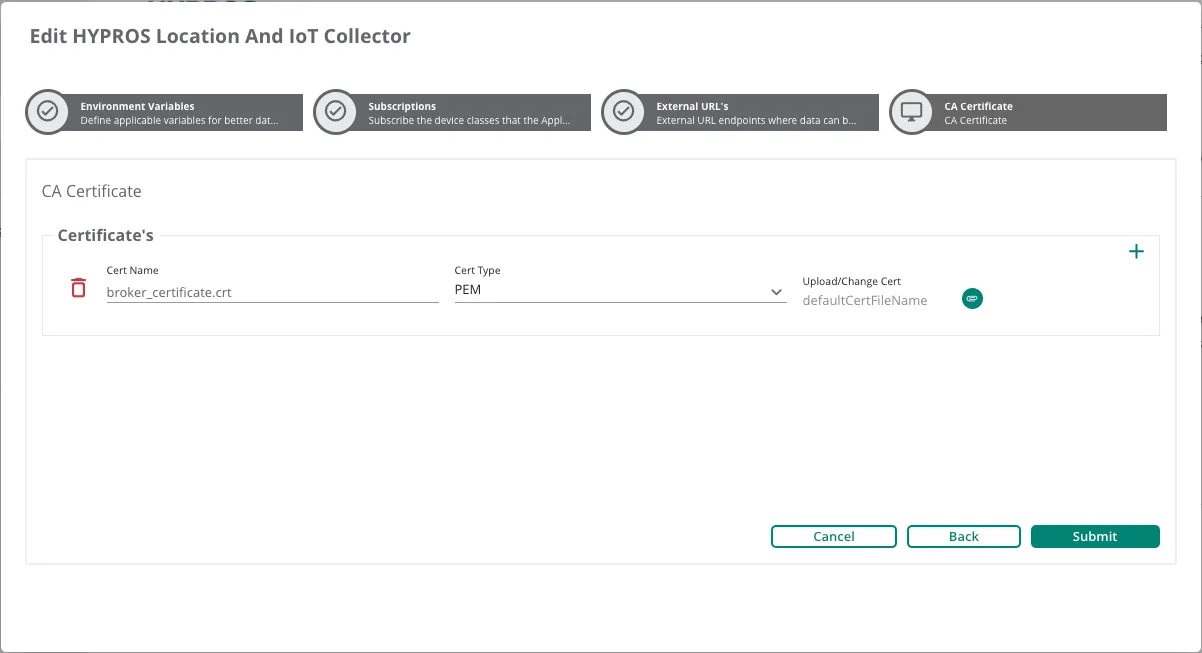
The app requires the certificate of the HYPROS platform MQTT broker in order to establish an encrypted connection. This certificate can be added here. It is important that the type is 'PEM'. The certificate chain is provided by HYPROS.